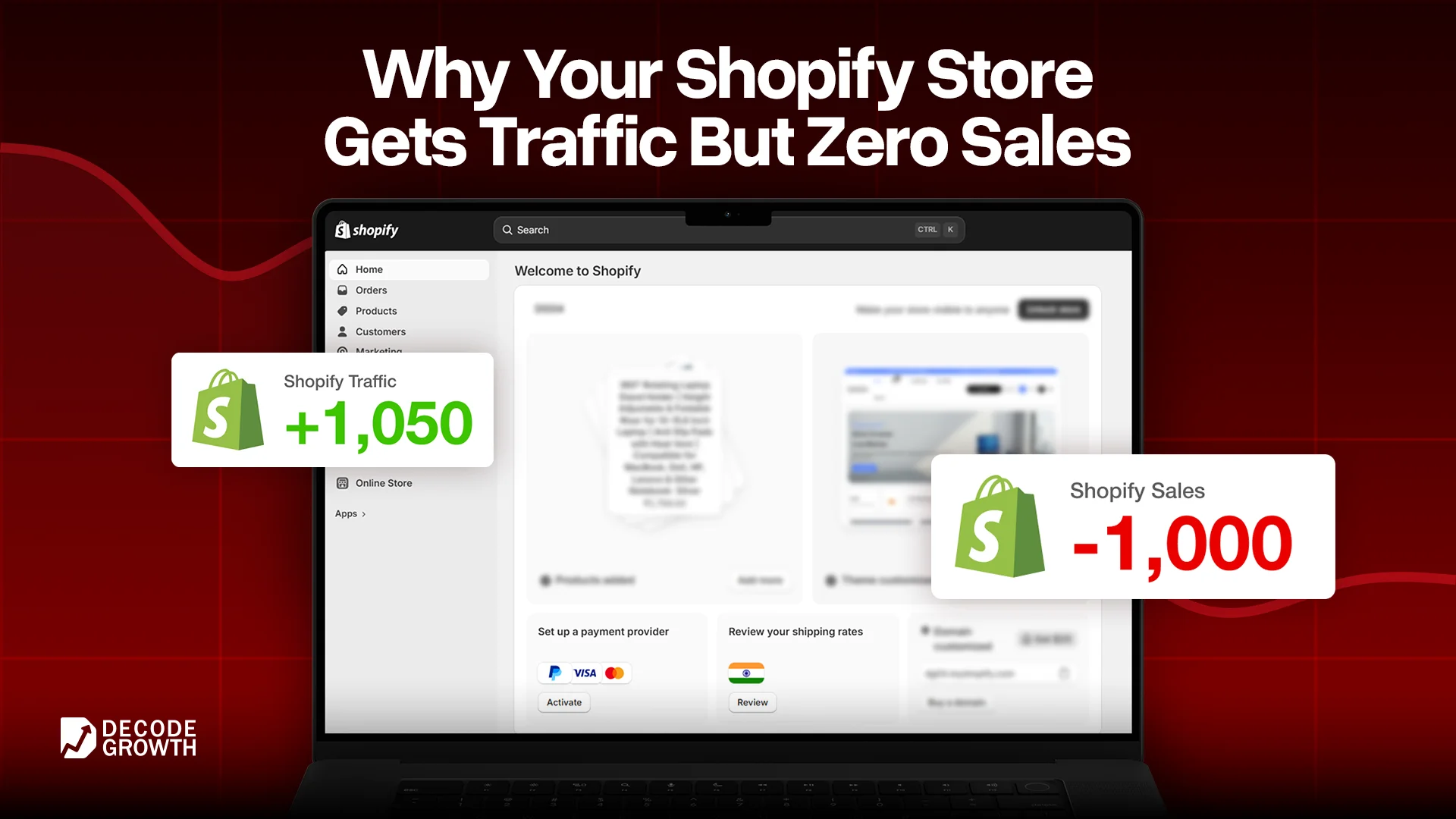
Traffic with no sales is a conversion problem, not a traffic problem. Stop spending more on ads until you fix what is happening after the click.
That is the one thing most people running Shopify stores need to hear before they do anything else.
Because here is the pattern we see constantly at Decode Growth. A founder launches their store, the products are genuinely good, they run ads or post content, visitors start coming in, and then the analytics just sit there. People landing, spending 40 seconds, leaving. No add-to-cart. No checkout. Nothing.
So naturally, they think the targeting is off. Or the audience is wrong. Or they need more traffic. They double the ad spend. Same result.
We audited a fashion accessories store last year that was pulling in roughly 4,000 visitors a month from a consistent Instagram campaign. They were spending around Rs 35,000 a month on ads. Sales in two months: eleven orders. The ads were not the problem. The store was quietly turning people away before they could convert, and the owner had no idea why.
This guide is about diagnosing exactly that. The real reason your Shopify store is getting traffic but no sales, written from actual store audits, not from a generic ecommerce textbook.
Where You Actually Stand Right Now
Before you fix anything, you need a number to work from.
The average Shopify store converts at 1.4%. That means out of every 100 people who visit, about one or two actually complete a purchase. The top 20% of Shopify stores hit 3.2% or higher. The top 10% are at 4.7% and above. Email marketing as a channel converts at 3% to 5%, while cold social media traffic sits at just 0.5% to 1.8%.
To find your current rate, go to Shopify Analytics, take your total orders over the last 30 days, divide by total sessions, and multiply by 100. That is your baseline.
If you are at zero or close to it despite real traffic, something specific is broken. Let us find it.
Reason 1: Strangers Do Not Trust Your Store
This is the biggest reason Indian e-commerce stores get traffic but no sales, and it is the one almost nobody checks first.
Put yourself in the shoes of someone who has never heard of your brand. They click on an ad or a search result, they land on your store, and in the next ten seconds, they are making a subconscious decision: is this safe to buy from?
They are not just evaluating the product. They are evaluating whether they will actually receive it, whether the quality matches the photos, and what happens if something goes wrong. If your store does not answer those questions instantly and visually, they leave. Not because they did not want the product. Because they felt uncertain.
A store that fails this trust check looks like this. No customer reviews on the product page, or just one review from two years ago. The return and refund policy is buried in the footer, where nobody reads it. There is no visible contact information beyond a generic form. The About page either does not exist or says something like “we are passionate about delivering quality.” The checkout page has no security indicators.
Individually, each of these things seems minor. Together, they send a very clear message to a first-time visitor: proceed with caution.
Here is how to fix it. Add real customer reviews to every product page. Judge.me and Loox are two of the best product review apps for Shopify, and both have free plans that work well for stores still growing. Put your return policy in plain language directly on the product page, not just in the footer. Add a real phone number or a WhatsApp link somewhere visible. Write a brief founder story that explains who you are and why you started the business. A face, a name, and a real reason behind the brand convert far better than a faceless store.
And at checkout, show trust badges above the buy button. Secure payment icons, a money-back guarantee statement, and a delivery assurance line cost nothing to add and reduce the last-minute hesitation that kills conversions.
Reason 2: Your Product Pages Are Not Closing the Sale
Even if someone trusts your store enough to browse, the product page still has to do the actual job of convincing them to buy. Most product pages on Shopify stores are not doing that job.
Think about what a buyer needs before they commit. They need to see the product properly from multiple angles, ideally in use and not just on a white background. They need to understand exactly what they are getting, including size, material, what is included, and how it works in real life. They need to feel some version of “other people have bought this and loved it.” And they need a reason to buy today rather than saving it for later and forgetting about it entirely.
A weak product page has two flat images, a description that lists specifications without talking to the customer, no reviews, no sizing guide or dimension chart, and an Add to Cart button that appears below the fold with nothing around it to reduce doubt.
A strong product page tells a story. The images show the product being used by a real person in a real situation. The description speaks to who this is for and what problem it solves, not just what it is made of. There is social proof. There is a one-line answer to the question “What if I do not like it?” There is some form of urgency that feels honest rather than manufactured.
If you want to increase your e-commerce conversion rate without rebuilding the whole page, one of the easiest additions is a product recommendation section. Apps like Frequently Bought Together and LimeSpot are among the best AI product recommendation apps for Shopify right now. They show related or complementary products on the page, which gives undecided buyers more options to land on something that feels right for them and naturally increases your average order value at the same time.
Shopify traffic no sales – brands on quick commerce still need a direct channel, read more
Reason 3: Your Store Is Slow and Painful on Mobile
This is the one that bleeds money silently because the person running the store almost always tests it on a fast connection from a desktop or a recent phone. The customer is on a mid-range Android, on 4G, at a time when their data speeds are inconsistent.
The numbers are hard to argue with. Sites that load in one second convert at three times the rate of sites that take five seconds. Every additional second of load time on mobile reduces conversions by approximately 7%. 63% percent of visitors bounce from pages that take more than four seconds to load. And as of 2025, smartphones account for 78% of all retail site visits globally.
Put those together, and you have a situation where a slow mobile store is losing the majority of its potential customers before they ever see a product properly.
The most common causes on Shopify are uncompressed product images that are 2MB to 5MB each, a bloated theme loaded with apps that run JavaScript in the background even when you are not using them, and third-party tracking scripts stacking up from every tool you have ever installed.
Start by going to Google Page Speed Insights and running your store URL through it. Look at the mobile score specifically. Below 50 is a problem. Below 30 is an emergency. Compress all your product images using TinyPNG or a similar tool before uploading. Go into your Shopify admin and uninstall every app you are not actively using, because most of them continue running code in the background even after you stop using the features. If the theme itself is heavy, that often requires a developer to clean up, and some of the best Shopify agencies that specialize in performance optimization can turn around a theme audit in a few days.
Also, physically open your store on a real Android phone on mobile data and click through it as a customer would. You will find things that never show up on desktop tests.
Reason 4: Seven Out of Ten Buyers Are Leaving the Cart
This number stops most people when they hear it for the first time. The average cart abandonment rate globally is 70.19% according to the Baymard Institute. On mobile, it goes even higher, past 80%. That means seven out of every ten people who add something to their cart and clearly intend to buy, leave before completing the purchase.
Some of them got distracted. Some of them saw shipping costs appear at checkout that they were not expecting. Some hit a mandatory account creation step and gave up. Some just ran out of time and meant to come back.
The problem is that most of them never come back on their own. And most stores have no system to bring them back.
This is where a cart abandonment email sequence becomes the single highest-return thing you can build for a Shopify store with existing traffic. A well-timed email sent one hour after abandonment, a reminder at 24 hours, and a third email at 72 hours with a small incentive can together recover a meaningful percentage of those lost orders. Email marketing converts at 3% to 5% for e-commerce, the highest of any channel. For a store already getting traffic, setting this up is not an option. It is the most direct path to more revenue from work you have already done.
Klaviyo and Omnisend are consistently ranked among the top Shopify email marketing apps for building these sequences. Both integrate directly with Shopify’s cart data, so the automation is triggered without any manual work.
Beyond email, look at the checkout itself. Enable Shop Pay if you have not already. It reduces the purchase to a single tap for returning Shopify customers and consistently improves checkout completion. Remove forced account creation. Show the full order total, including shipping, as early in the flow as possible so there are no surprises at the last step.
Reason 5: The Wrong People Are Landing on Your Store
Sometimes the store is fine. The product page is solid, the trust signals are in place, and the checkout is clean. But the conversion rate is still low because the traffic itself is the wrong kind.
Cold social media traffic, people who saw your ad but had zero prior awareness of your brand, converts at 0.5% to 1.8% on average. Organic search traffic, people who specifically searched for what you sell, converts at around 3%. Email traffic from a list you have built converts at 3% to 5%.
This is the part of the best way to increase online store sales that requires being honest about where your traffic is coming from. If every visitor is cold paid traffic from broad Instagram campaigns, you are paying to bring in casual browsers, not ready buyers. The store experience is being judged by people who are the hardest audience to convert, and the data makes the store look like it is failing, even when the store itself is working fine.
A few questions are worth asking. Are your ads targeting people with genuine buying intent for your specific product or just people who broadly fit a demographic? Are you running retargeting campaigns to bring back people who visited but did not buy? Are you building any kind of email list so you can reach warm audiences that already know your brand?
The overlap between digital marketing strategy and e-commerce optimization is where conversion rate really gets unlocked. Fixing the store helps every visitor. Fixing the traffic quality helps the conversion rate even before a visitor arrives.
What to Fix This Week
These require no budget and minimal time.
Add customer reviews to your product pages if they are missing. Even three to five real reviews make a visible difference to a first-time visitor. Write your return policy in one clear sentence and put it directly on the product page near the buy button. Compress every product image above 500KB using TinyPNG. Add a WhatsApp contact link somewhere visible on the store. Set up a single cart abandonment email to go out one hour after someone leaves without buying. And run your store URL through Google Page Speed Insights to see your mobile score.
What Takes Longer but Pays Off More
These are worth putting time into over the next 30 to 60 days.
Build a full 3 email cart abandonment sequence. Audit and clean up your Shopify apps to speed up load time. Write product descriptions that speak to the customer’s situation, not just the product’s specifications. Add a founder story or a human About page. Set up retargeting campaigns for store visitors who did not convert. Test a sticky Add to Cart button on mobile product pages. If your mobile speed score is below 40 and you are not a developer, getting help from a specialist is genuinely worth it.
If you want a proper diagnosis of exactly what is holding your store’s conversion rate back, Decode Growth does Shopify store audits for e-commerce brands across India. We look at the full funnel from traffic source to checkout completion and tell you specifically what to fix first.
The Honest Truth About Traffic and Sales
Getting visitors to your Shopify store is step one. What happens after they land is the whole game.
Most of the reasons a store gets traffic but no sales come down to five things: not enough trust, not enough clarity on the product page, too slow on mobile, no system to recover abandoned carts, and traffic that was never going to convert. Fix those five things, and the conversion rate moves.
The stores that go from 0.5% to 3% are not the ones that found some secret tactic. They are the ones who removed friction, one layer at a time, until buying felt easier than leaving.
At Decode Growth, helping Indian e-commerce brands do exactly that is what we work on. If your store is getting traffic and not converting it, you do not have a traffic problem. You have a solvable one.
Hire Decode Growth to build your Shopify Store
FAQs
Getting to 1% to 2% in your first six months is a solid benchmark. The global Shopify average is 1.4%. Once your trust signals, product pages, and checkout are optimized, pushing toward 3% is achievable. Stores converting above 3.2% are in the top 20% globally.
The most common causes are unexpected shipping costs showing up at checkout, mandatory account creation before purchase, and a checkout process with too many steps. Enable Shop Pay, remove forced sign-ups, and show total costs, including shipping, on the product page before the customer reaches the cart.
Focus on what happens after the click. Improve product page images and descriptions, add customer reviews, fix mobile page speed, set up cart abandonment emails, and make your return policy visible. All of these affect every visitor already coming to your store and cost little to implement.
More than most store owners expect. A one-second improvement in mobile load time can lift conversions by up to 27%. A store loading in under two seconds on mobile will consistently outperform the same store loading in five seconds, even with identical products and pricing.
If you have consistent traffic but consistently low sales, and you have already made basic improvements, a proper audit from a conversion-focused Shopify agency can identify issues that are invisible from inside the store. The return on finding one broken element that was costing you sales every day is often significant.